

Portkey SDK Integration with LocalAI
1. Install the Portkey SDK
- NodeJS
- Python
2. Initialize Portkey with LocalAI URL
First, ensure that your API is externally accessible. If you’re running the API onhttp://localhost, consider using a tool like ngrok to create a public URL. Then, instantiate the Portkey client by adding your LocalAI URL (along with the version identifier) to the customHost property, and add the provider name as openai.
Note: Don’t forget to include the version identifier (e.g.,
/v1) in the customHost URL- NodeJS SDK
- Python SDK
Portkey currently supports all endpoints that adhere to the OpenAI specification. This means, you can access and observe any of your LocalAI models that are exposed through OpenAI-compliant routes.
3. Invoke Chat Completions
Use the Portkey SDK to invoke chat completions from your LocalAI model, just as you would with any other provider.- NodeJS SDK
- Python SDK
Using Virtual Keys
Virtual Keys serve as Portkey’s unified authentication system for all LLM interactions, simplifying the use of multiple providers and Portkey features within your application. For self-hosted LLMs, you can configure custom authentication requirements including authorization keys, bearer tokens, or any other headers needed to access your model: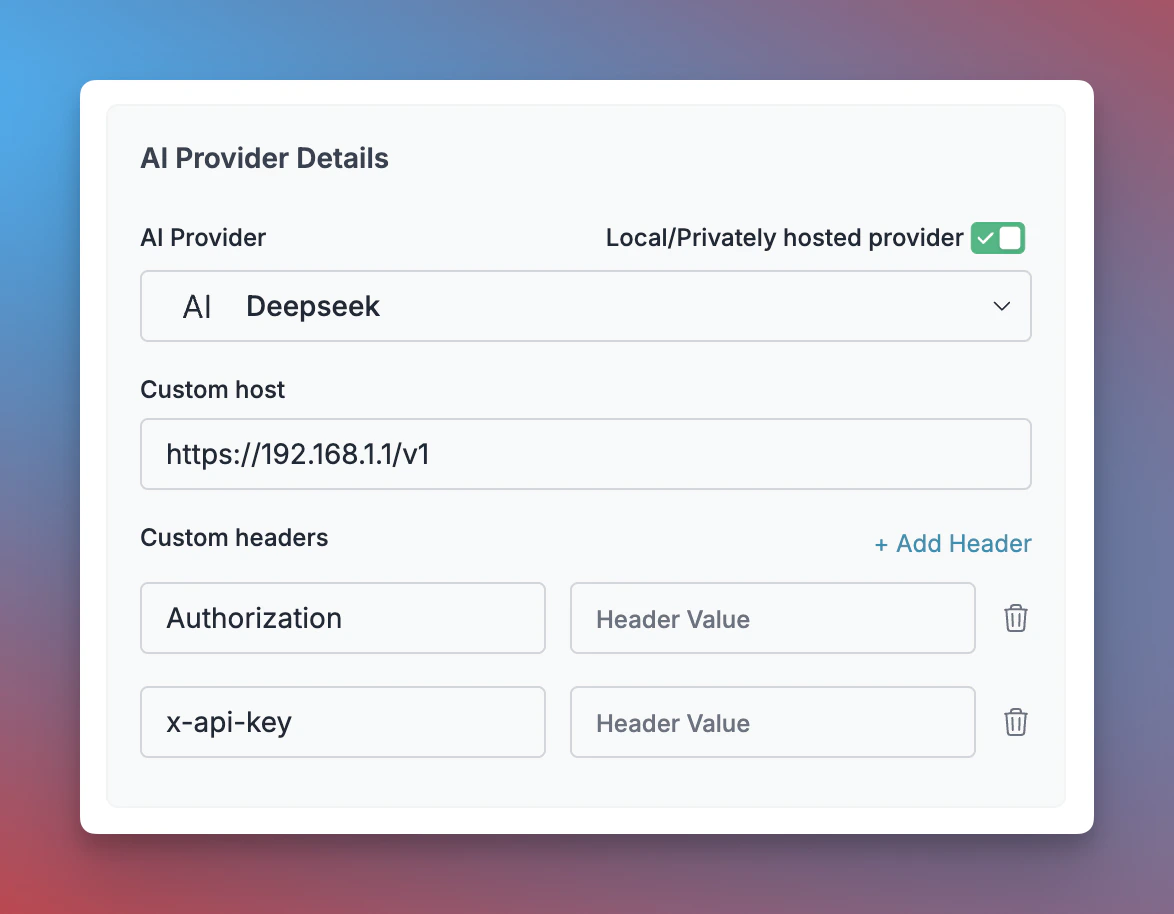
- Navigate to Virtual Keys in your Portkey dashboard
- Click “Add Key” and enable the “Local/Privately hosted provider” toggle
- Configure your deployment:
- Select the matching provider API specification (typically
OpenAI) - Enter your model’s base URL in the
Custom Hostfield - Add required authentication headers and their values
- Select the matching provider API specification (typically
- Click “Create” to generate your virtual key
- NodeJS
- Python
LocalAI Endpoints Supported
Next Steps
Explore the complete list of features supported in the SDK:SDK
You’ll find more information in the relevant sections: